Essential Beauty Mirror
Beautiful EssentialsBeauty
4.418.00 Reviews
- Version
- 1.1.4
- Installs
- 10.00K
- Age Rating
- Everyone
Screenshots
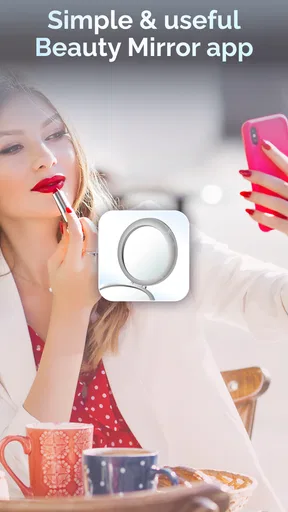
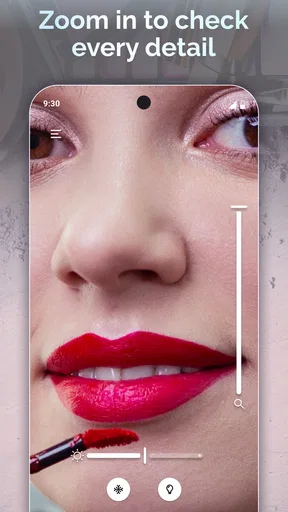
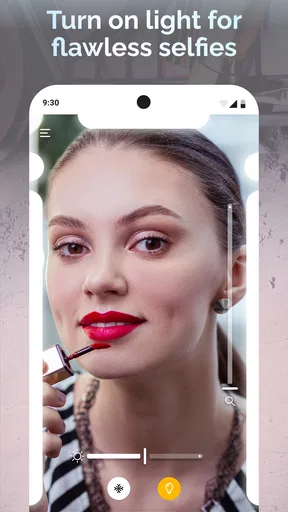
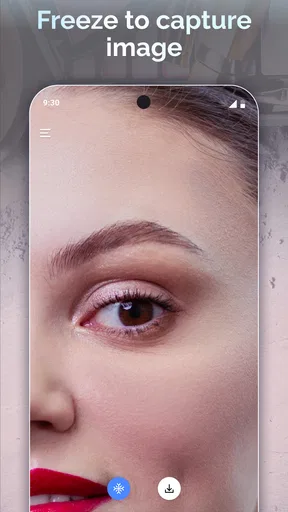
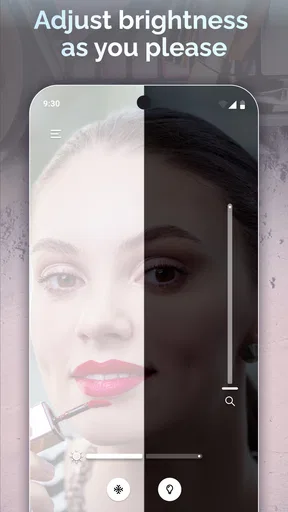
Our Review of Essential Beauty Mirror
 Analysis by Appyee
I like beauty apps that stay focused on one practical job, and Essential Beauty Mirror takes that approach. Developed by Beautiful Essentials, this free beauty app is built around the familiar idea of keeping a mirror available on your phone when a real one is inconvenient. That sounds simple, but simplicity is exactly what makes this kind of tool useful: you can check your appearance quickly before leaving home, during a commute, or while getting ready in a room without a mirror.
After spending time with it, my impression is that this is best viewed as a compact everyday utility rather than a complete beauty adviser. It does not need to replace your normal mirror, makeup routine, or camera app. Its value comes from being ready when those alternatives are awkward. The experience also depends on the phone itself and, in some situations, on connectivity around the features you choose to use, so I would not treat it as a magical solution for every beauty-related task.
A focused beauty tool rather than a full makeover suite
The app sits in the beauty category, but its appeal is more practical than glamorous. I found it most useful for quick checks: hair that may have shifted in the wind, lipstick that needs attention after eating, or a collar and neckline that are not sitting as neatly as expected. Those are small moments, yet they are exactly when carrying a separate mirror feels unnecessary.
The short store description calls it an essential beauty mirror, but my experience is that the strongest reason to install it is convenience. A phone is already in your hand, and a mirror app removes the need to open a social network, launch a photo editor, or take a picture merely to see yourself. That directness gives the app a clearer purpose than many beauty applications that mix filters, tutorials, shopping, and social sharing into one crowded interface.
At the same time, I would keep expectations realistic. A phone display is not the same as a glass mirror, and the front camera can change how your face appears depending on lighting, distance, and the angle of the device. The app can help you inspect your appearance, but it cannot guarantee that what you see matches every real-world reflection. I use it for a fast check, then rely on natural light or a proper mirror when I need to judge makeup color precisely.
How connectivity changes the experience
The most important practical distinction is between using a phone as a mirror and using any connected beauty functions that may accompany the experience. A basic mirror view should feel immediate because it depends mainly on the handset, its front-facing camera, and the surrounding light. However, anything that loads additional content, communicates with an online service, or requires a fresh connection can behave differently in a weak-signal environment.
That matters when you are preparing in places where reception is unreliable. In a hotel room, underground station, crowded venue, or airplane cabin, I would open the app before I actually need it and see how the essential view behaves. This simple habit separates the core utility from optional connected elements. If the mirror view is available immediately, the app remains useful even when the network is not ideal. If a screen takes time to load, I would avoid depending on it for a last-minute touch-up.
I also prefer not to assume that connectivity automatically improves a mirror app. A network can add convenience, but it can also introduce loading delays, interruptions, or extra steps at exactly the wrong moment. For a tool intended for quick personal checks, speed and predictability matter more to me than a long feature list.
My practical tip is to treat the app as a two-stage tool. First, open it while you still have a stable connection and confirm that the part you need is ready. Then use the mirror view in the moment instead of waiting until you are already rushing. This is especially helpful before a meeting, a date, a presentation, or an event where you may not have another mirror nearby.
Useful mobile situations where it earns its place
A realistic example is getting off public transport before an appointment. I may have spent part of the journey wearing a scarf, resting my head against a seat, or eating a snack. With no convenient mirror at the station, a phone-based check lets me inspect my hair and face before walking into the building. It takes less effort than opening the camera, switching modes, and deciding whether I want to keep a photo.
Another good situation is shared accommodation. In a busy home, dormitory, or hotel bathroom, access to the mirror can be limited. A phone does not solve every part of getting ready, but it can handle a quick check while someone else is using the sink. I also found the idea useful when moving between rooms with different lighting, because it lets me check whether something looks obviously out of place before I go outside.
For makeup users, the app is most helpful after the main application is finished. I would not use a small phone screen as my only guide for foundation matching or subtle color correction. I would use it for edges, smudges, brows, hair placement, and the general balance of a look. That distinction is important: it is a checking tool, not a replacement for good lighting and a careful application routine.
People who wear glasses, contact lenses, head coverings, hair accessories, or facial jewelry may also appreciate the quick visual check. The benefit is not a special beauty effect; it is the ability to inspect details that are easy to miss when you are moving between rooms or preparing without a full-length mirror.
The phone itself becomes part of the workflow. A clean front camera lens makes a noticeable difference, and holding the device at a comfortable distance avoids judging your appearance from an awkward close-up. I recommend checking near a window or under even indoor lighting rather than under a single harsh ceiling bulb. Those habits improve the result more than repeatedly reopening the app.
Where it is less convincing than the usual alternatives
The obvious alternative is a physical mirror, and for detailed grooming that remains better. A wall mirror gives a larger view, does not depend on battery life, and shows your whole presentation rather than only the area framed by a phone. If you are styling an outfit, checking the back of your hair, or applying makeup that requires accurate color judgment, I would choose a real mirror whenever one is available.
The standard camera app is another competitor. It may offer more control, rear-camera flexibility, and the ability to inspect or save an image. Yet that extra flexibility can be a disadvantage when all I want is a quick look. Essential Beauty Mirror makes more sense for someone who does not want a gallery full of temporary selfies or who prefers not to turn a personal check into a photograph.
Beauty filters and virtual makeup tools serve a different purpose. They can be entertaining or useful for experimenting with a style, but they may alter the very details I am trying to inspect. A mirror-focused app is better when I want to know what I actually look like at that moment, not what a filter predicts or enhances.
This is also why I would not recommend it as the main app for professional makeup artists, beauty creators, or anyone who needs advanced lighting control and precise image capture. Those users may be better served by a camera application with manual controls, a larger monitor, or dedicated lighting. The strength here is low-friction checking, not production-quality visual work.
Handling weak connections, interruptions, and recovery
Connectivity problems are most frustrating when an app is opened during a time-sensitive moment. If a connected part of the experience stalls, I would first return to the simplest mirror function rather than repeatedly tapping buttons or restarting the phone. A short pause can become a bigger inconvenience when the user is already in a hurry.
My preferred recovery routine is straightforward: move to a brighter position, close unnecessary apps, reopen the mirror, and try again without changing several settings at once. If the phone is already warm, low on battery, or struggling with other tasks, the issue may be the device environment rather than the beauty app itself. Keeping the lens clean and the front camera unobstructed is equally important, since a poor image can look like a software failure.
I would also avoid testing the app for the first time immediately before an important occasion. Open it earlier, learn where the useful view appears, and check whether the experience behaves comfortably on your phone. That small preparation reduces the chance of discovering a loading delay or an inconvenient screen transition when you have only a few seconds available.
Another sensible habit is to keep a physical fallback. A compact mirror costs no battery and is valuable in places where the phone cannot be used comfortably. I see the app as a supplement, not a reason to discard every other option. If the phone battery is nearly empty, the screen is difficult to see in sunlight, or you need a full-body view, the traditional tool wins immediately.
Privacy-minded habits for a personal mirror
A mirror app naturally involves the front camera, so I recommend using it with the same awareness I would bring to any camera-based application. I avoid opening it in situations where other people might accidentally appear on screen, and I do not point the phone toward private surroundings unnecessarily. Those are simple habits, but they help keep a personal grooming check personal.
I also prefer not to capture or share an image unless I have a clear reason. The main advantage of a mirror view is that it can answer a question without creating a photo that later needs organizing or deleting. This is one area where it feels more restrained than a typical social camera workflow.
When connected features are involved, I pay attention to what the app is asking me to do before proceeding. I would not enter personal details merely to perform a basic appearance check, and I would avoid granting access that does not seem relevant to the task. The app is most appealing when I can use it as a simple, controlled utility rather than turning a quick mirror moment into a broader online activity.
For families, the Everyone content rating makes the app approachable across age groups, although younger users should still be encouraged to handle camera-based apps thoughtfully. The rating describes the intended content level, not a substitute for normal device and privacy guidance.
What ownership looks like
The app is free to install, which makes trying it low-risk for someone who wants a phone-based mirror without committing to a paid download. There are in-app purchases ranging from under a dollar to around thirty dollars per item, so I would still review any purchase screen carefully before confirming anything. For my use, the important question is whether the basic mirror experience already covers the need; if it does, optional spending should be a deliberate choice rather than an automatic part of setup.
Beautiful Essentials has kept the product positioned as a small beauty companion rather than a large lifestyle platform. That focus is welcome, but it also means the app should be judged by how smoothly it handles its central task. I would not install it expecting a complete beauty education system, an appointment service, or a professional editing studio.
The current version is 1.1.4, and the app runs on Android nine or later. That makes compatibility a practical consideration for anyone using an older handset. Before installing, I would check the phone’s software version and make sure the device has enough battery for camera use. A mirror app is only useful if it opens reliably when you need it.
Its reach is already visible in the store: it has passed ten thousand installs and holds a 4.4 average from roughly four hundred ratings. I see that as a positive sign of interest, but not as proof that it will suit every phone or every routine. The smaller number of written reviews means I would place more weight on my own short trial than on the headline score alone.
Who should use it, and who should skip it
I would recommend it to students, commuters, travelers, office workers, and anyone who often finds themselves without a convenient mirror. It is especially suitable for people who want a direct visual check without taking a selfie, applying a filter, or opening a social app. The free entry point also makes it easy to test as a backup for a bag or travel routine.
I would be more cautious about recommending it to someone who needs a large, color-accurate, full-body reflection. It is also not my first choice for advanced makeup experimentation, detailed photography, or professional content creation. In those cases, a physical mirror, a better-lit setup, or a camera app with more control would be the stronger option.
If you are highly sensitive to network interruptions, test the essential workflow before relying on it away from home. The app makes sense when the mirror view is quick and dependable, but no connected phone experience should be treated as guaranteed in every location. That is not a reason to reject it; it is simply part of using a mobile tool realistically.
My final view on Essential Beauty Mirror
Essential Beauty Mirror succeeds because it understands a small but common problem: sometimes I need to see myself, not take a picture, search for advice, or open a complicated beauty suite. Its best use is a fast check in an inconvenient place, supported by sensible habits such as cleaning the camera, finding even light, and preparing the app before a rushed moment.
The trade-off is that a phone screen cannot match the size, reliability, or natural viewing angle of a physical mirror. Connectivity can also shape the experience whenever additional parts of the app need to load, so I would test the core workflow and keep a fallback for travel or low-battery situations. Those limitations are manageable because the app is not trying to replace every mirror in your life.
For Android users on version nine or later who want a free, focused beauty utility, I think it is worth trying. Beautiful Essentials has created something more useful for quick everyday checks than for elaborate beauty work. I would keep it installed as a convenient backup, use it selectively, and choose a real mirror or a more capable camera setup whenever accuracy, scale, or complete control matters more than speed.
Verdict
Strengths of Essential Beauty Mirror
- Simple interface makes the mirror quick to open and use.
- Front-camera preview helps with fast makeup or grooming checks.
- Useful in places where a physical mirror is unavailable.
- Lightweight app should require little storage space.
- Convenient for checking your appearance before photos or calls.
Limitations of Essential Beauty Mirror
- Image quality depends heavily on your device’s front camera.
- Low-light performance may be poor without extra screen brightness.
- The preview can be reversed compared with how others see you.
- Battery use may increase during extended mirror sessions.
- Some devices may show ads or require permissions for full access.
Similar Picks in This Category
View All
Beauty Makeup Editor & Camera
Photo & Video Editors - Instant Solution4.7

Perfect365: Face Makeup Editor
Perfect365, Inc.3.5

Mirror Plus - HD Mirror app
Digitalchemy, LLC4.8

Cute Lock Screen & Wallpapers
Prometheus Interactive LLC4.6

HD Camera for Android
One Music Player4.5

Phone Mirror app - True Mirror
Cards4.6
Frequently Asked Questions
What is Essential Beauty Mirror, and what can I use it for?
Essential Beauty Mirror is a beauty-focused mirror app designed to let you check your appearance using your phone or tablet’s front-facing camera. After testing it, the main experience feels similar to carrying a compact mirror, with a live preview that can be useful for applying makeup, checking hair, adjusting accessories, or making sure you look presentable before going out. It is a practical utility rather than a full photo-editing suite.
Does Essential Beauty Mirror work without an internet connection?
The basic mirror function should generally be usable without a constant internet connection because it relies primarily on the device’s front camera and screen. This makes it convenient when you are traveling, in a changing room, or somewhere with limited reception. However, certain optional features, advertisements, updates, analytics, or linked content may require connectivity, so the exact offline experience can depend on the app version and your device.
Does the app save or upload photos and video from the camera?
Before using Essential Beauty Mirror, you should review its camera and privacy permissions carefully. A mirror app needs camera access to display your reflection, but that does not automatically mean your image is saved or uploaded. Avoid granting unnecessary permissions, and check the developer’s current privacy policy for details about storage, analytics, advertising, and third-party services. If privacy is important, revoke access whenever you are finished using the app.
Is Essential Beauty Mirror free to download and use?
Essential Beauty Mirror may be available as a free download, but the exact cost structure can vary by platform, region, and release version. Free apps can include advertising, optional purchases, or premium features that are not immediately obvious from the basic mirror function. We recommend checking the Google Play Store or Apple App Store listing before downloading to confirm whether ads, subscriptions, or in-app purchases are included.
What permissions and device requirements does Essential Beauty Mirror need?
The most important requirement is access to the device’s front-facing camera, since the application must show a live image to function as a mirror. It also needs a compatible Android or iOS version and enough screen brightness for comfortable viewing. Performance may vary depending on camera quality, screen size, lighting, and device age. Always install the official listing and review the requested permissions before accepting them.
